Software Installation
Install SDR Dongle Drivers
- Plug the SDR dongle into a USB port on your Windows PC
- Download the dongle driver installer from Zadig.
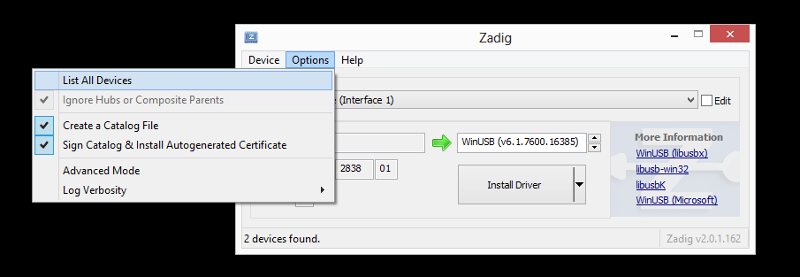
- Run the installer and select Options > List All Devices
- Pull down the interfaces drop-down and select Bulk-In, Interface (Interface 0)
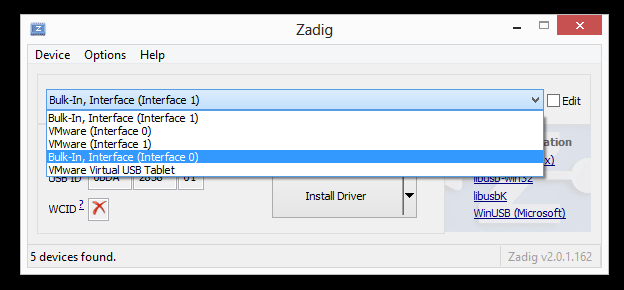
- Click the Install Driver
TODO: Add screen shot of installing the driver here.
- Once the driver finishes installing, you can run the SeeDeR software using the instructions in the Operating Manual.
